

A website functions less as a static destination and more as an active conversation, and when that experience feels slow, unclear, or lacking credibility, potential customers leave without taking action. This gap between traffic and conversions, known as lead leakage, is typically diagnosable and fixable, with targeted improvements reducing friction and compounding gains across the entire user journey over time. Many businesses invest heavily in SEO, paid ads, content, and social media, yet still see fewer leads than their traffic numbers suggest, because the issue often lies not in attracting visitors but in what happens once they arrive.
Key Takeaways:
- Most lead leakage comes from fixable technical and UX problems: Slow load times, poor mobile experience, unclear navigation, weak calls to action, and missing trust signals are the five most common reasons websites fail to convert the traffic they already receive.
- A structured CRO audit identifies where visitors are dropping off: Reviewing your site against a consistent set of conversion criteria, supported by heatmap data and analytics, gives you a prioritized list of fixes rather than a list of guesses.
- Sustainable conversion improvement requires building around your audience: Sites that perform consistently over time are built around visitor goals and pain points, not around internal service structures or company preferences.
Contents
- 1 Where Most Websites Lose Visitors
- 2 How to Run a CRO Audit on Your Website
- 3 How to Fix the UX and CRO Issues You Find
- 4 Build Your Website Around Your Audience’s Goals, Not Your Service List
- 5 Frequently Asked Questions
- 5.1 How do I know if my website is actually leaking leads?
- 5.2 What is a realistic conversion rate to aim for after fixing UX issues?
- 5.3 Do I need a full website redesign to fix conversion problems?
- 5.4 How long does it take to see results from CRO improvements?
- 5.5 What tools do I need to run a CRO audit on my own website?
- 5.6 How often should a CRO audit be repeated?
- 6 Fix the Friction That Is Costing You Leads
Where Most Websites Lose Visitors
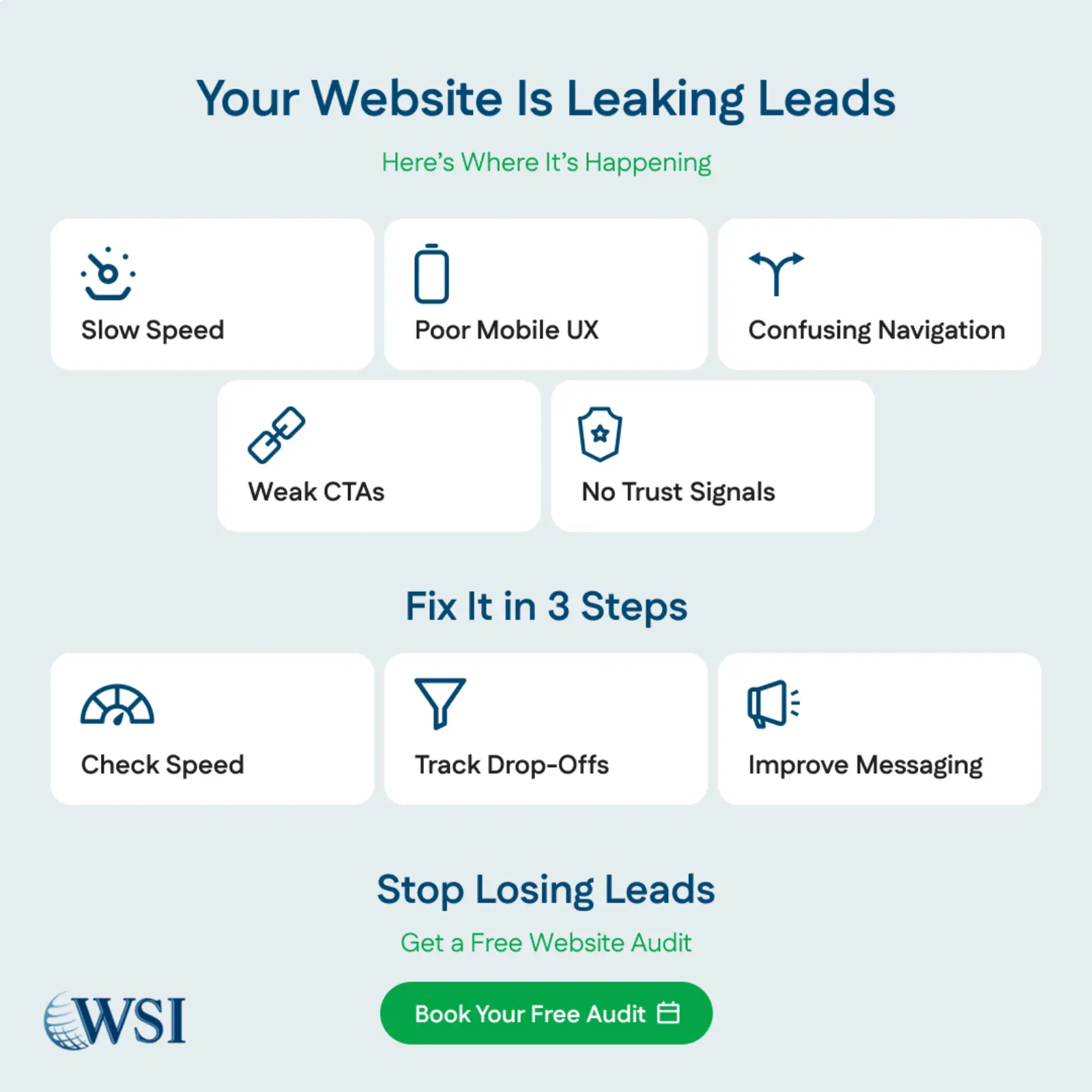
Lead leakage typically stems from multiple small friction points rather than a single obvious flaw, with each issue appearing minor alone yet significant when combined. These gaps consistently surface across industries in analytics patterns, heatmap behavior, and sales feedback from prospects who struggled to find clarity or direction. Identifying and prioritizing these common leak points allows businesses to implement targeted fixes that produce measurable improvements in overall conversion rates.
Slow Page Load Times
Page speed is one of the most quantified and consistently validated factors in website conversion performance. The data has not shifted in years: nearly 40 percent of users abandon a site that takes more than three seconds to load. On mobile, the tolerance is even lower. Every additional second of load time after the first produces a measurable increase in bounce rate and a corresponding decrease in conversions.
The impact is not limited to user behavior. Google’s ranking systems use page speed as a direct ranking signal, which means a slow site compounds its problems. It loses visitors who arrive and leave before the page finishes loading, and it also receives less organic traffic in the first place because search rankings are suppressed relative to faster competitors. A slow website is not just a UX problem. It is an SEO problem and a lead generation problem simultaneously.
The specific elements most likely to cause slow load times on typical business websites include:
- Uncompressed or oversized image files: High-resolution images that have not been resized or compressed for web delivery are the single most common cause of slow page load times on business websites. A page with six to eight full-size photography assets can easily exceed five seconds of load time on a standard connection, and significantly more on mobile.
- Excessive third-party scripts and tracking tools: Marketing tools, chat widgets, analytics platforms, and retargeting pixels each add load time. A site with fifteen active scripts loading on every page will load substantially slower than one with five, and the cumulative effect of incrementally adding tools over several years without auditing them is a major contributor to speed degradation on older sites.
- Outdated hosting infrastructure: Shared hosting environments that were appropriate for a site receiving 500 visits per month become inadequate as traffic grows. Sites hosted on underspecified servers experience slow time-to-first-byte, which affects both perceived load speed and Core Web Vitals scores that search engines measure directly.
- Render-blocking resources in page code: JavaScript and CSS files that load before the page content renders cause visitors to see a blank or partially loaded page during the initial seconds of a visit. Deferring non-critical scripts and loading stylesheets asynchronously reduces this delay significantly on most platforms.
Poor Mobile Experience
Mobile devices now account for more than half of web traffic, yet many business websites remain designed primarily for desktop users. A weak mobile experience creates friction through unreadable text, difficult navigation, cramped forms, and poorly placed buttons that make completing actions frustrating. With mobile-first indexing prioritizing the mobile version for rankings, poor optimization reduces both search visibility and conversion rates, compounding the overall performance loss.
The specific mobile issues that most consistently cause lead leakage include:
- Text and content sized for desktop screens: Body text that reads comfortably on a 1440-pixel desktop monitor can become unreadably small on a 375-pixel mobile screen. Mobile typography requires larger base font sizes and more generous line spacing to maintain readability without requiring visitors to zoom.
- Navigation menus that do not adapt to touch interaction: Dropdown menus designed for hover interaction on desktops do not translate to touch interfaces. Mobile navigation requires a hamburger menu or equivalent structure that is clearly identifiable, easy to open, and presents options in a format that is tappable without precision.
- Call-to-action buttons too small or poorly positioned for thumbs: Touch targets smaller than 44 pixels in height or width are consistently cited in mobile UX research as a significant friction source. Buttons that require precise tapping, or that are positioned near the top of a page where they fall outside the natural thumb reach zone for one-handed use, see lower tap rates than well-positioned, appropriately sized alternatives.
Navigation and layout issues quietly erode conversions when visitors cannot quickly understand where they are, what the business offers, and what action to take next. Most users decide within a few seconds, even if a site feels relevant, and confusion during that window often leads to an immediate exit. These problems usually arise when websites are structured around internal terminology and organizational logic instead of the language and problem-based thinking real customers use, creating clarity for employees and friction for prospects.
The most common navigation and layout failures that reduce conversion rates include:
- Navigation menus with too many items competing for attention: Research on cognitive load consistently shows that presenting visitors with more than seven primary navigation options reduces effective decision-making. When everything in the menu appears equally important, nothing signals priority, and visitors default to scanning rather than clicking.
- Homepage hero sections that describe the company instead of addressing the visitor: A hero section that leads with the company name, founding story, or award history communicates the wrong priority. Visitors arrive at a homepage with a problem or question they need addressed. Hero content that immediately signals relevance to that problem and offers a clear next step retains attention. Hero content that centers the company loses it.
- Page layouts that require scrolling to find critical information: Key trust signals, primary calls to action, and core value propositions that appear only below the fold rely on visitors being engaged enough to scroll before they have been given a reason to stay. Important conversion elements should appear within the initial viewport on both desktop and mobile.
- Cluttered pages with multiple competing visual priorities: Pages that present too many offers, announcements, service descriptions, and calls to action simultaneously create visual noise that prevents any single element from capturing sustained attention. A clear visual hierarchy that directs attention to one primary action per page produces higher conversion rates than pages that attempt to serve multiple agendas at once.
Weak or Missing Calls to Action
Every page should guide visitors toward a clear next step aligned with its purpose, even if that is booking a consultation, accessing a related resource, or making contact. When calls to action are missing or unclear, even motivated visitors may leave simply because the path forward is not obvious. Weak, vague, or poorly positioned CTAs fail to inspire action, while concise, value-driven language makes the benefit clear and increases the likelihood of conversion.
The specific CTA failures that most consistently suppress conversions include:
- Generic button language with no stated value: Calls to action that describe the mechanical action rather than the outcome create unnecessary hesitation. ‘Contact Us’ is less motivating than ‘Book a Free Strategy Call’ because the former describes a task and the latter describes a benefit the visitor receives for completing it.
- CTAs placed only at the bottom of long pages: Visitors who are ready to convert may be ready after reading the first two paragraphs of a page. Reserving CTAs for the page footer means that every visitor who is ready early must either scroll to the bottom or leave without converting. Placing CTAs at multiple points on longer pages captures intent at multiple stages of reading.
- Visual design that does not differentiate CTAs from surrounding content: A call-to-action button that blends into the page design because it uses the same color palette as surrounding elements does not register as a distinct, actionable element. CTAs should contrast with their surroundings in color, size, and spacing so that a visitor scanning the page can identify them without reading every word.
- Too many competing CTAs on a single page: Pages that present five different conversion options simultaneously, download a guide, book a call, subscribe to the newsletter, view pricing, and watch a demo, create decision paralysis. A single primary CTA per page, with at most one secondary option, produces higher conversion rates than pages that attempt to capture every possible visitor intent at once.

Fix Your Website Now
Get a free audit that identifies your top conversion leaks.
Missing Trust Signals
Trust is the prerequisite for conversion. It develops through visible proof that a business is credible, established, and capable of delivering results, and when those signals are weak or missing, hesitation replaces action. This gap becomes more pronounced in high-stakes industries such as healthcare, finance, legal services, and B2B consulting, where prospects carefully evaluate reputation before engaging. Websites in these sectors must demonstrate clear evidence of competence and reliability to compete effectively for informed, high-value clients.
The most impactful trust signals that business websites commonly omit or underutilize include:
- Client testimonials and case studies with specific outcomes: Generic praise from unnamed clients is substantially less persuasive than attributed testimonials from identified clients who describe a specific problem, the work done, and the outcome achieved. Named testimonials with photos, job titles, and company affiliations carry significantly more credibility than anonymous quotes, and case studies with quantified results are more convincing than both.
- Third-party review platform integrations: Displaying ratings from Google, Trustpilot, Clutch, or industry-specific review platforms directly on your website signals that your reputation exists beyond your own marketing materials and that real clients have verified it in a context you do not control. The credibility of third-party endorsement is inherently higher than self-reported satisfaction.
- Certifications, partnerships, and professional affiliations: Industry certifications, technology partner badges, professional association memberships, and regulatory compliance indicators are trust signals that communicate competence in a format that is verifiable rather than self-asserted. For B2B buyers with procurement processes or compliance requirements, these signals are often a prerequisite for continued evaluation.
- Clear, accessible contact information: A website that does not display a phone number, physical address, or named contact prominently raises an immediate question about accessibility and accountability. Visitors who cannot easily verify that a real business is behind the website are unlikely to convert on a high-value inquiry. Contact information in the header or footer of every page removes this doubt at minimal cost.
- Privacy and security signals on forms: Form pages that lack SSL indicators, privacy policy links, or brief reassurance statements about how submitted information is used see lower completion rates than equivalent forms that address data handling transparently. The cost of adding these signals is minimal; the conversion impact, particularly for high-value service inquiries, is measurable.
How to Run a CRO Audit on Your Website
A conversion rate optimization audit is a structured review of your website using defined criteria that directly influence lead generation performance. Its purpose is to identify the specific friction points currently costing conversions and prioritize them based on likely impact rather than attempting to fix everything at once. The process requires a systematic, visitor-focused perspective and access to basic analytics data, forming a practical framework for evaluating and improving the areas that matter most.
Technical Performance Review
Start with the measurable, objective aspects of your site’s performance before addressing subjective UX elements. Technical issues have quantified thresholds you can evaluate against, which makes prioritization straightforward.
- Page speed measurement across device types: Run your primary landing pages through Google PageSpeed Insights or GTmetrix and review scores for both desktop and mobile. Pay specific attention to Core Web Vitals scores, particularly Largest Contentful Paint, First Input Delay, and Cumulative Layout Shift, as these are the metrics Google directly incorporates into ranking evaluations.
- Mobile rendering check across multiple screen sizes: View your homepage, primary service pages, and contact page on actual mobile devices rather than just a desktop browser’s mobile simulation mode. Real device testing surfaces rendering issues that simulators miss, particularly on older Android devices with lower-specification processors and smaller displays.
- Broken link and form functionality testing: Audit all internal links, external links, and form submissions to confirm they function as intended. A contact form that fails silently, returns an error, or sends submissions to an unmanned inbox is one of the most damaging conversion leaks a website can have because it creates the impression of accessibility while actively blocking it.
User Journey Mapping
After confirming technical fundamentals, evaluate the visitor experience as a sequence of decisions rather than a collection of individual pages. Ask the question a visitor would ask at each step: Does this make sense? Do I know what to do next, and do I have enough confidence to do it?
- Homepage to contact page path analysis: Walk through your site from the homepage as a first-time visitor with no prior knowledge of your business. Count the number of clicks required to reach your primary conversion point and evaluate each intermediate page for clarity and forward momentum. If the path requires more than three clicks or involves any moment of genuine confusion, the journey has friction that needs to be addressed.
- Analytics funnel reporting for key page sequences: In Google Analytics 4, set up funnel exploration reports that track the sequence from your highest-traffic landing pages through to your conversion goals. Pages with high drop-off rates in those funnels are your priority CRO targets because the data confirms that visitors are reaching those pages and leaving before converting, rather than never arriving.
- Heatmap and session recording review: Tools like Hotjar or Microsoft Clarity generate heatmaps showing where visitors click, how far they scroll, and where their attention concentrates on each page. Session recordings of actual user visits reveal specific moments of confusion, hesitation, and abandonment that are invisible in aggregate analytics data but clearly visible when you watch individual visits.
Content and Messaging Evaluation
Once you have the technical and navigational picture, evaluate how well the content on each key page communicates relevance and motivates action. This evaluation is most useful when done with a representative sample of your target audience’s perspective in mind, not with the perspective of someone who already knows what your business does.
- Headline clarity test on primary landing pages: Read each page’s primary headline as if encountering it for the first time with no prior knowledge of your business. Does it immediately communicate what the business does, who it serves, and what value it provides? Vague or internally focused headlines are one of the highest-impact, lowest-effort elements to improve.
- CTA audit across all pages: Document every call to action on every primary page of your site. Evaluate each one against three criteria: is the language specific and value-oriented, is it visually distinct from surrounding content, and is it positioned where a visitor who is ready to convert will encounter it without having to search. Any CTA that fails two of three criteria is a candidate for immediate revision.
- Trust signal inventory by page: List all trust signals present on each key page of your site: testimonials, reviews, certifications, client logos, statistics, and media mentions. Pages with no trust signals, particularly high-intent service or contact pages, should be treated as a priority for improvement because they are asking visitors to convert at the moment their credibility questions are highest and their reassurance is lowest.
How to Fix the UX and CRO Issues You Find
Identifying problems through an audit is only useful if it leads to systematic fixes applied in priority order. The temptation after completing a CRO audit is to attempt to address everything simultaneously, which typically results in partial implementation across many issues rather than complete resolution of the most impactful ones. A more effective approach is to categorize fixes by impact and implementation cost, then work through them in a sequence that maximizes conversion improvement per unit of effort invested.
High-Impact, Low-Effort Fixes to Implement First
Some conversion improvements require no technical development work and can be implemented by anyone with access to the website’s content management system. These should be your first priority because they produce results immediately without creating a dependency on developer availability or budget approval.
- Rewrite page headlines to address visitor pain points directly: Replace company-centered headlines with visitor-centered ones that name the problem your audience is trying to solve or the outcome they want to achieve. A headline that says ‘Digital Marketing for Growing Businesses’ is less effective than one that says ‘More Leads from the Traffic You Already Have’ because the second one connects to a specific goal a visitor is likely to have arrived with.
- Add specific, value-oriented language to all CTA buttons: Review every button label on every primary page and replace generic labels with outcome-oriented alternatives. ‘Get Your Free Assessment,’ ‘Book a Strategy Call,’ and ‘Download the Guide’ each communicate what the visitor receives by clicking, which is the information that motivates action. Generic labels like ‘Submit’ or ‘Learn More’ do not.
- Add testimonials to high-intent pages that currently lack them: Identify your two or three highest-traffic conversion pages that currently display no social proof and add relevant testimonials to each one. Testimonials do not need to be redesigned or formatted elaborately to be effective; a simple attributed quote from a named client describing a specific outcome produces a measurable improvement in conversion rates on pages that previously had none.
- Compress all images on high-traffic pages: Run every image on your homepage and primary landing pages through a compression tool such as Squoosh or TinyPNG and re-upload the compressed versions. For most business websites, this single action reduces page load time by one to two seconds on high-image pages with no visible reduction in image quality.
Medium-Impact Fixes That Require Development Support
A second category of improvements requires either technical implementation by a developer or configuration work in a platform that is beyond standard content editing. These are worth prioritizing in the queue after quick wins have been captured, because their impact is typically larger even if the implementation timeline is longer.
- Implement A/B testing on headline and CTA variations: Once your quick-win content changes are live, set up A/B tests using a tool like Google Optimize, VWO, or built-in testing features in your platform to compare the performance of your updated versions against alternatives. A/B testing removes the guesswork from content decisions by providing direct evidence of what your specific audience responds to, and the learnings transfer across all future content decisions.
- Restructure navigation to reflect visitor priorities: If your audit reveals navigation that reflects internal company structure rather than visitor intent, rebuilding it around the questions and categories your target audience uses requires both content decisions and template changes. The investment is worthwhile because navigation affects every page visit on the site, meaning a navigation improvement compounds across all traffic rather than benefiting only a single page.
- Optimize form design and field requirements: Contact and inquiry forms with more than four to five fields consistently see lower completion rates than shorter alternatives. Audit each form on your site and remove any field that is not strictly necessary for your team to follow up effectively. If your sales process requires detailed qualification information, consider collecting it in the follow-up conversation rather than at the form submission stage, where the friction cost of each additional field is highest.
Building a Visual Hierarchy That Guides Attention
Visual hierarchy is the principle that page elements should be sized, colored, and positioned to direct a visitor’s eye in a specific sequence that supports the conversion goal. A page with a strong visual hierarchy communicates priority clearly without requiring visitors to read every word to identify what matters. A page with a weak visual hierarchy presents everything as equally important and forces visitors to make their own decisions about what to pay attention to.
- Use contrast and size to make CTAs the most visually prominent element on conversion-focused pages: Your primary call to action should be the most visually distinctive element on any page where conversion is the goal. If your CTA button is the same size as the surrounding text and uses the same color palette as the page background, it is not functioning as a visual priority signal. High-contrast button colors, generous whitespace around the CTA, and a size larger than surrounding text are the three simplest ways to ensure it registers as the page’s primary action.
- Reduce visual competition by removing non-essential elements: Every element on a page that is not contributing to the conversion goal is competing with the elements that are. Sidebar widgets, promotional banners for secondary offers, and decorative graphics that do not support the page narrative all divide visitor attention. Removing or relocating non-essential elements on high-intent pages is a reliable way to increase conversion rates without adding any new content.
- Use white space deliberately to reduce cognitive load: Pages that feel dense or crowded are harder to process and create a perception of complexity that reduces confidence. Generous spacing between sections, between paragraphs, and around key elements like CTAs and testimonials makes content easier to scan, reduces the cognitive effort required to extract key information, and creates a cleaner overall impression that supports trust.
Build Your Website Around Your Audience’s Goals, Not Your Service List
The key difference between high-converting and low-converting websites is perspective, not technology. Many business sites are built from the inside out, organized around internal structures and terminology that make sense to the company yet confuse prospective customers. High-converting websites take the opposite approach, structuring content, language, and layout around visitor questions and goals so that the experience aligns with what users came to find rather than how the business describes itself.
Speak to Pain Points Before Describing Solutions
The sequence in which a page presents information significantly affects how visitors engage with it. Pages that lead with the company’s solution before establishing that they understand the visitor’s problem require visitors to make the connection themselves. Pages that lead with a clear, specific articulation of the problem the visitor is trying to solve create immediate relevance that motivates continued reading.
- Name the specific problem your audience is experiencing: Generic descriptions of what your business does, such as ‘we provide digital marketing services,’ tell visitors what you sell, but not why it matters to them. Specific problem statements, such as ‘if your website is generating traffic but not leads, the issue is usually fixable within your existing setup,’ immediately communicate relevance to visitors who are experiencing that exact situation.
- Use language that mirrors how your audience describes the problem: The terminology your internal team uses to describe a service category is often different from the language a prospective client uses to describe their problem. Websites that use internal jargon create a translation barrier for visitors who use everyday language to describe their needs. Keyword research and direct client interviews are both reliable sources for the specific phrases your target audience uses when describing the problems you solve.
- Connect features to outcomes your audience cares about: Service descriptions that list features and technical specifications without connecting them to business or personal outcomes require visitors to infer the value themselves. A prospect considering a website redesign cares less about specific technical features than about getting more qualified inquiries from their existing traffic. Describing the features in terms of the outcomes they produce makes the value proposition concrete and personally relevant.
Lead Visitors With Clarity at Every Step
Clarity is the most underinvested quality in business website design. It is easier to add content than to make content clear. It is easier to list every service than to explain which one solves the visitor’s specific problem. But clarity is what moves people from reading to acting, and every moment of confusion on a website is a conversion opportunity that does not materialize.
- Make the next step obvious on every page: After a visitor reads any page on your site, there should be one clearly signposted action available. That action should be specific, relevant to the content of the page they just read, and framed in terms of what the visitor receives by taking it. Pages that end without a clear next step leave visitors to make their own decision about where to go, and the decision they most commonly make is to leave.
- Reduce the number of decisions visitors must make to convert: Every additional choice a visitor must make on the path to conversion increases the probability of abandonment. A contact page with five different ways to get in touch, a form that asks for twelve pieces of information, and a booking tool that requires account creation all add decision points that reduce completion rates. The path from interest to conversion should require the fewest possible decisions and the least possible effort.
- Eliminate jargon from all primary pages: Technical or industry-specific language on homepage, service, and landing pages creates barriers for visitors who are not yet familiar with your specific terminology. Plain language that describes what you do and who you do it for in terms a first-time visitor can immediately understand is more effective at retaining attention and motivating action than sophisticated vocabulary that signals expertise to insiders but confuses everyone else.
Frequently Asked Questions
How do I know if my website is actually leaking leads?
A large gap between traffic volume and inquiry volume is the clearest warning sign. If a service business converts below one percent site-wide, multiple friction points are likely suppressing results. Funnel reports, heatmaps, and bounce rate comparisons will help pinpoint where visitors are dropping off.
What is a realistic conversion rate to aim for after fixing UX issues?
Benchmarks vary by industry and traffic source, so targets should be grounded in your historical baseline. For B2B services, two to five percent site-wide is a reasonable goal after addressing major UX gaps. Focused paid landing pages can often achieve five to ten percent once messaging, trust signals, and CTAs are optimized.
Do I need a full website redesign to fix conversion problems?
Most conversion issues can be resolved through targeted improvements rather than a full rebuild. CTA refinements, trust enhancements, speed fixes, and navigation adjustments often deliver meaningful gains without major redevelopment. A redesign is warranted only when technical limitations or structural misalignment prevent effective incremental improvements.
How long does it take to see results from CRO improvements?
Quick adjustments such as CTA updates and added trust signals can produce measurable gains within days or weeks. A/B testing timelines depend on traffic volume and may require several weeks for reliable conclusions. Broader structural updates typically show noticeable impact within 60 to 90 days when applied to high-traffic pages.
What tools do I need to run a CRO audit on my own website?
A basic audit requires performance tools, behavioral tracking, and conversion analytics. Google PageSpeed Insights, Search Console, GA4, and free heatmap tools such as Microsoft Clarity provide sufficient data to identify friction points. These tools are accessible at little to no cost, making systematic optimization achievable for businesses of any size.
How often should a CRO audit be repeated?
A comprehensive audit every six to twelve months keeps performance aligned with evolving user behavior and business goals. Quarterly reviews of high-traffic pages and conversion trends help detect emerging friction early. Businesses investing in paid traffic should monitor more frequently to prevent avoidable waste from underperforming pages.
Fix the Friction That Is Costing You Leads
If your website attracts traffic yet underperforms on leads, the causes are identifiable and correctable through a clear priority sequence: address technical performance first, then navigation and user experience, followed by messaging clarity and trust signals, allowing each improvement to compound. Sustainable gains come from shifting perspective and designing the site around visitor goals, ensuring problems are addressed, questions answered, and credibility established before asking for action. Start with high-traffic, low-converting pages, implement quick wins immediately, queue structural enhancements, measure impact, and repeat the cycle consistently to maintain strong conversion performance as your market evolves.

Stop Losing Leads
Let our team audit your site and fix what’s broken.